How to Mark a Payment as Collected
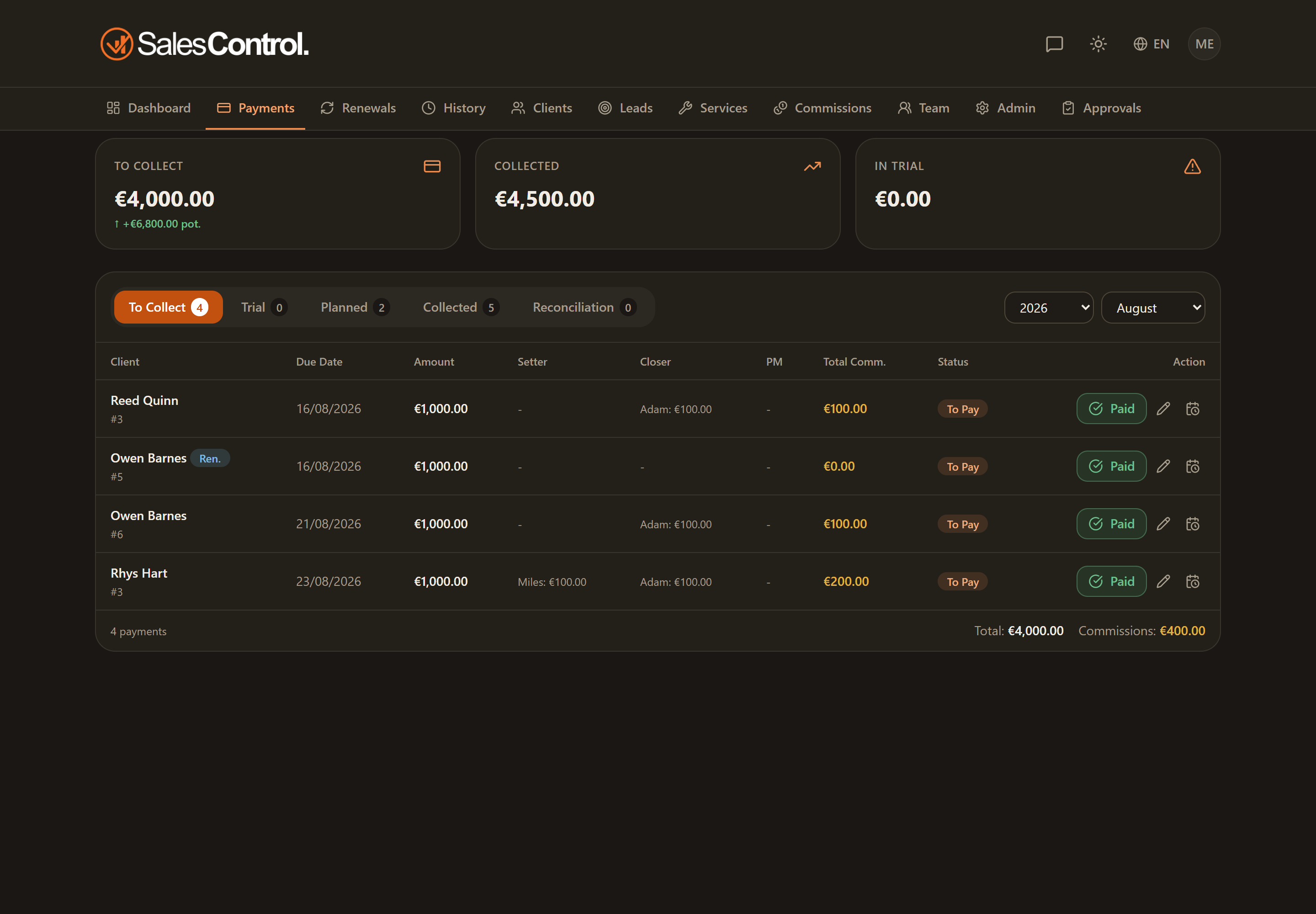
When a client pays an installment, you record it in SalesControl by marking it as collected. This updates your collections, unlocks the commissions for whoever worked the client, and feeds the dashboard and commission figures. You can record the payment in full or only in part.
Who can mark a payment
The action requires the can_mark_paid permission (“Mark payments”). It is always on for Admins; for a team member the admin enables it in their card under Team. Without this permission the collect button does not appear.
If your agency uses automatic collection through Stripe, many installments are marked for you when the card payment arrives — you don’t need to do anything by hand. See the Stripe Payments category.
Where to find it
You can mark a payment from two places:
- From the Payments page, in the To collect sub-tab (or In trial for the first installment of trials).
- From the client detail page, Payments tab.
In both cases the Mark collected button is on the payment row.
Marking a collection step by step
Locate the payment in the “To collect” list. Use the Year/Month filters if you are looking for a specific period.
A window opens with two modes: Full and Partial.
For a full collection leave Full and confirm. For a down payment choose Partial: see the dedicated partial payment article.
The installment moves to Collected, with the collection date. The linked commissions are generated automatically.
What happens to commissions
When you mark a payment as collected, SalesControl calculates the commissions for the Setter, Closer and the Project Manager(s) assigned to the client.
Commission rates do not depend on the service: they are configured per team member in their card under Team (percentage, recurring or one-time type, renewal percentage, fixed amount). If a commission looks wrong, check the member’s configuration, not the service.
Generated commissions appear in Commissions, under the “Unpaid” tab, until the admin marks them as paid.
If the amount is in another currency
If the service uses a currency other than the agency base currency, the exchange rate is locked at collection time: the converted amount stays fixed even if the rate changes later. See Multi-Currency.
Undoing a collection
If you marked an installment by mistake, from the Collected tab you can use Undo collection (still requires can_mark_paid): the installment returns to “To collect” and its commissions are withdrawn.
On confirming the collection, the relevant salespeople receive the “Payment collected” notification (if enabled). You can configure channels and recipients in Push and Email Notifications.