Stripe Payments: Overview
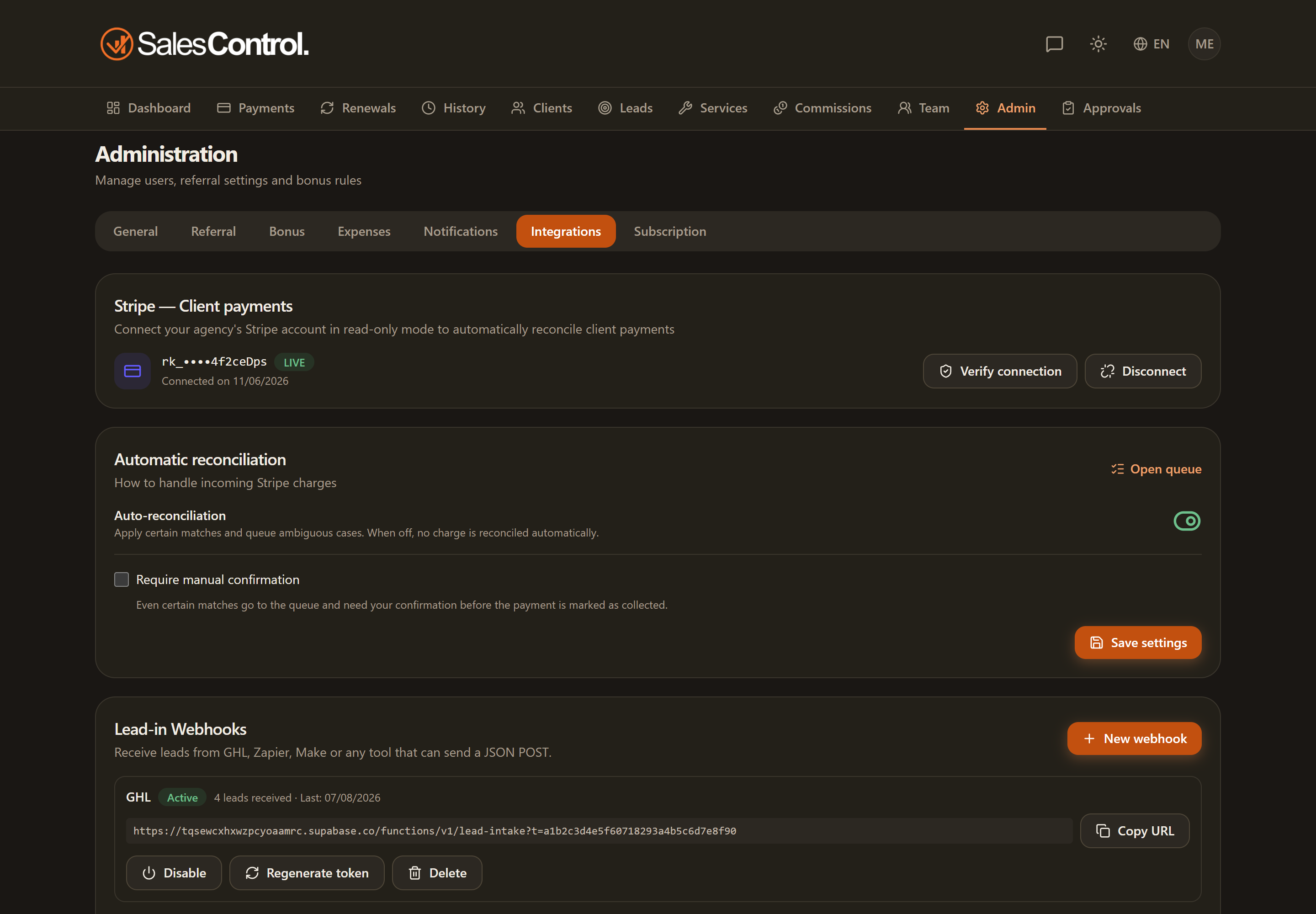
By connecting your agency’s Stripe account, SalesControl records card payments on its own: when a client pays, the payment is matched to the right installment and marked as collected, without you doing anything by hand. It’s an Admin feature, configured in Admin › Integrations.
This feature is available on the Professional plan and above. If you don’t see it in the app, check your plan in Subscription Plans.
What it does
The integration is built on Stripe Connect and links SalesControl to your agency’s Stripe account (not a SalesControl account). The goal is to automate the manual work of collecting payments:
- every card payment that arrives in Stripe is recognized in real time;
- the app looks up the client and the installment it corresponds to and marks it as Collected;
- the linked commissions are generated automatically, just as for a payment marked by hand.
If a payment can’t be matched with certainty, it isn’t lost: it lands in a queue where you resolve it. See Automatic Reconciliation.
Requirements
- An agency plan that includes integrations.
- A Stripe account belonging to your agency, the one you already use to collect client payments.
- An Admin user to perform the connection (the operation touches keys and credentials).
Security: what SalesControl actually sees
The connection uses a restricted key (in Stripe it’s called a restricted key, it starts with rk_) set to read-only. In practice:
- SalesControl doesn’t move money, doesn’t issue refunds and doesn’t create charges: it only reads payment events.
- The key is stored encrypted and is never shown again in full: in the app you only see the last digits (
rk_••••). - Events arrive through a signed webhook: the app verifies the signature before accepting them.
You are the one who creates the key in your Stripe dashboard, with the minimal permissions the wizard indicates. You can revoke it at any time from the Stripe dashboard, or disconnect the account from SalesControl.
TEST and LIVE modes
Stripe distinguishes between TEST data (fake payments, for trying things out) and LIVE data (real collections). SalesControl automatically recognizes which of the two you are using and shows it with a TEST/LIVE badge next to the connected account.
At the moment the integration runs in TEST mode: it serves to validate the flow without real collections. When the agency moves to LIVE, the key and the webhook will need to be recreated with the LIVE credentials from the Stripe dashboard.
How to activate it
Go to Admin › Integrations: from here a short wizard guides you through creating the restricted key and the webhook. The full step-by-step procedure is in Connect Your Stripe Account (Wizard).