Referral Program Settings
The referral program rewards clients who bring in others. From here you decide whether to enable it, which reward to grant and how credits accrue and expire. It is a feature of the Pro plans and up.
This feature is available on the Professional plan and above. If you don’t see it in the app, check your plan in Subscription Plans.
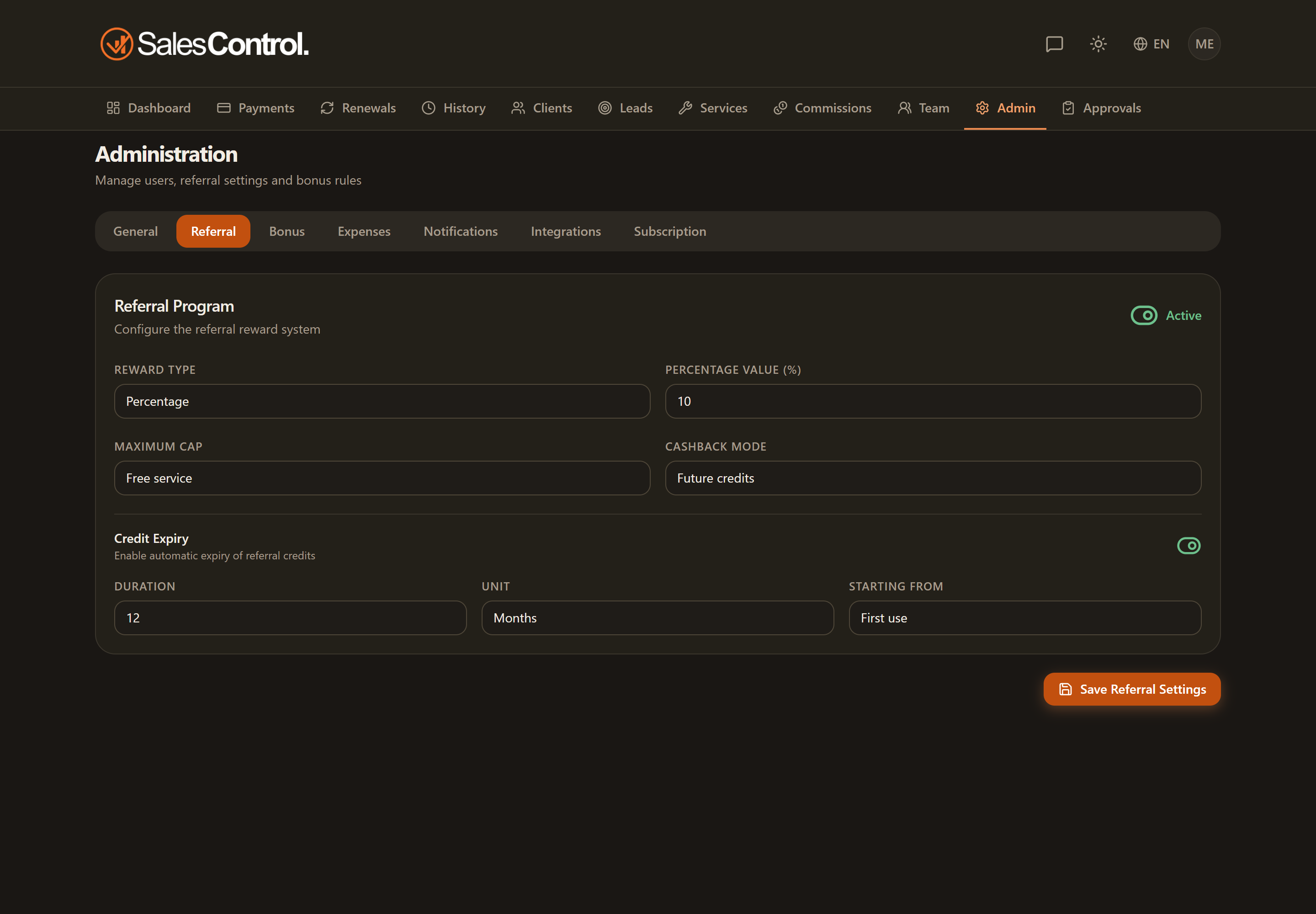
Where to find it
Open the Admin Panel and select the Referral tab. The section is available with a Professional plan or higher.
Enabling the program
At the top of the tab you’ll find the program switch. When it is off, the app does not calculate any referral credit, even if you link a client to whoever referred them. Turn it on to make the settings below take effect.
Reward type and value
Choose how the reward is calculated:
- Percentage: a share of the value of the referred contract.
- Fixed: a fixed amount for each successful referral.
In the value field you enter the percentage or the amount, according to the chosen type.
Reward cap
The cap sets how far the reward can go. You can limit it to the value of a free service (the credit covers at most one offered period/service) or allow cashback too, that is, a monetary reward on top of the service.
Cashback mode
If you enable cashback, you decide how it is paid out:
- Future credits: the amount accrues as credit to use on later payments.
- Direct: the reward is granted directly, without going through a credit.
Credit expiry
For credits you can set an expiry with three elements: the value (how many), the time unit (days, months…) and the moment from which the count starts. This way credits do not remain valid forever.
These settings define the rules; linking a client to whoever referred them happens instead on the client’s detail page. See Referral: Client Introduced by Another.