Contracts and Collections Archive
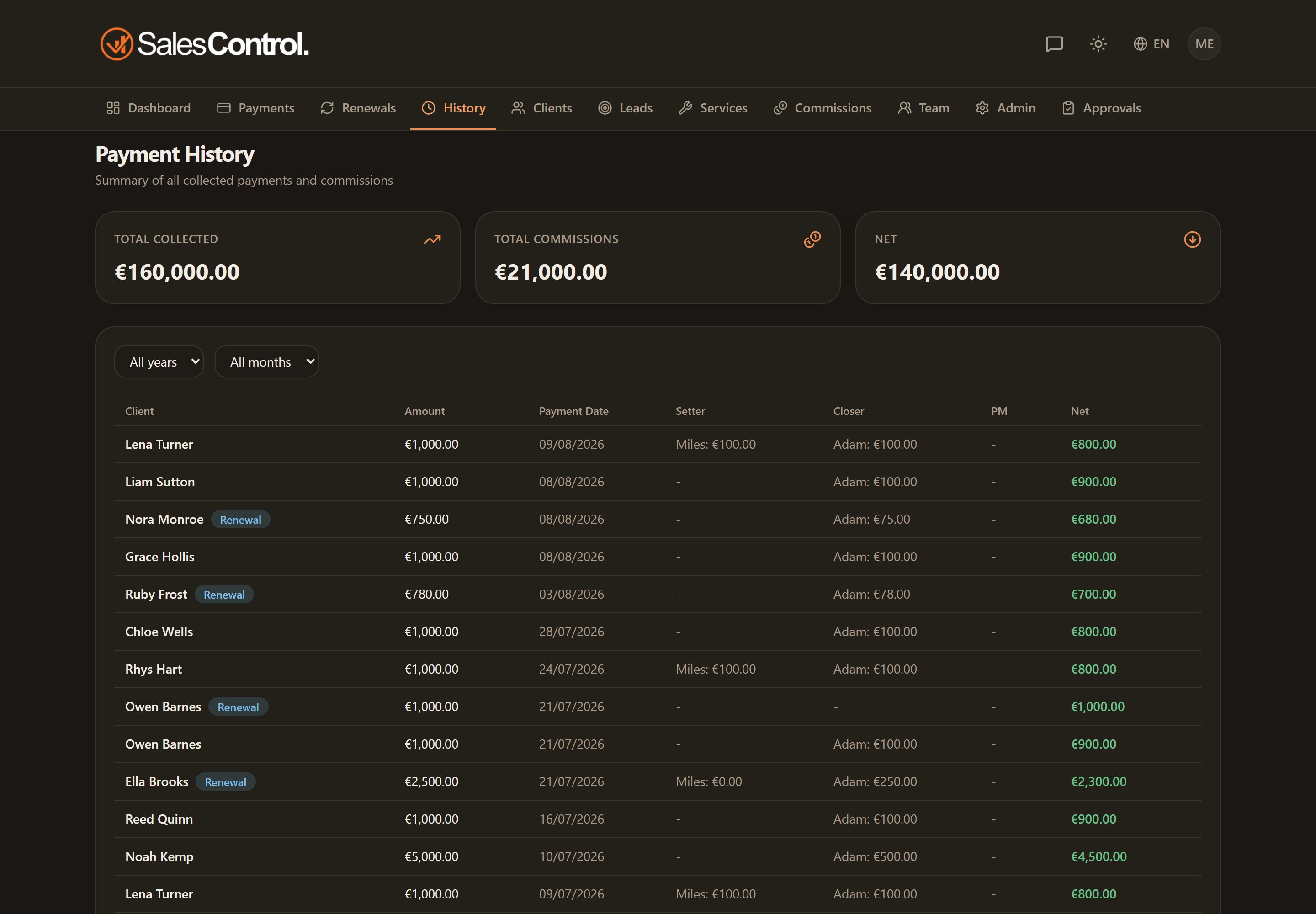
History is the read-only archive of the past: closed, renewed or failed-trial contracts, and the collections that have already happened. It’s there to consult, not to change: you don’t take actions here, but you find the record of what happened.
What it contains
The archive gathers the contracts that have closed their cycle:
- closed or renewed contracts;
- failed trials;
- the linked past collections.
The data comes from two sources: from renewals, which at renewal time save a snapshot of the previous contract into history, and from failed trials. A renewal does not create a new client: it updates the same record and archives the previous version. See How to Renew a Contract.
The filters
At the top you can filter by Year and Month (on the collection date) to narrow the period. A Reset button brings the view back to all periods.
The Admin view
If you are an admin you see the full financial picture for the period:
- three cards: Collected, Commissions and Net;
- a table with, for each row, client, amount, date, Setter/Closer/PM and net.
The Member view
If you are a team member, the archive is filtered to you:
- the cards show your commissions;
- the table lists the completed payments that concern you, with a Status column indicating whether the commission is already paid or pending.
To actively manage commissions (mark them paid, filter them, export them) you don’t use History but the Commissions page: see Commissions Unpaid, Paid and Export.