The Payments Page
The Payments page gathers every installment from your contracts: the ones still to collect, those of clients in trial, the ones already collected and, for those entitled to it, the queue of Stripe payments to reconcile. It’s where you record collections day by day.
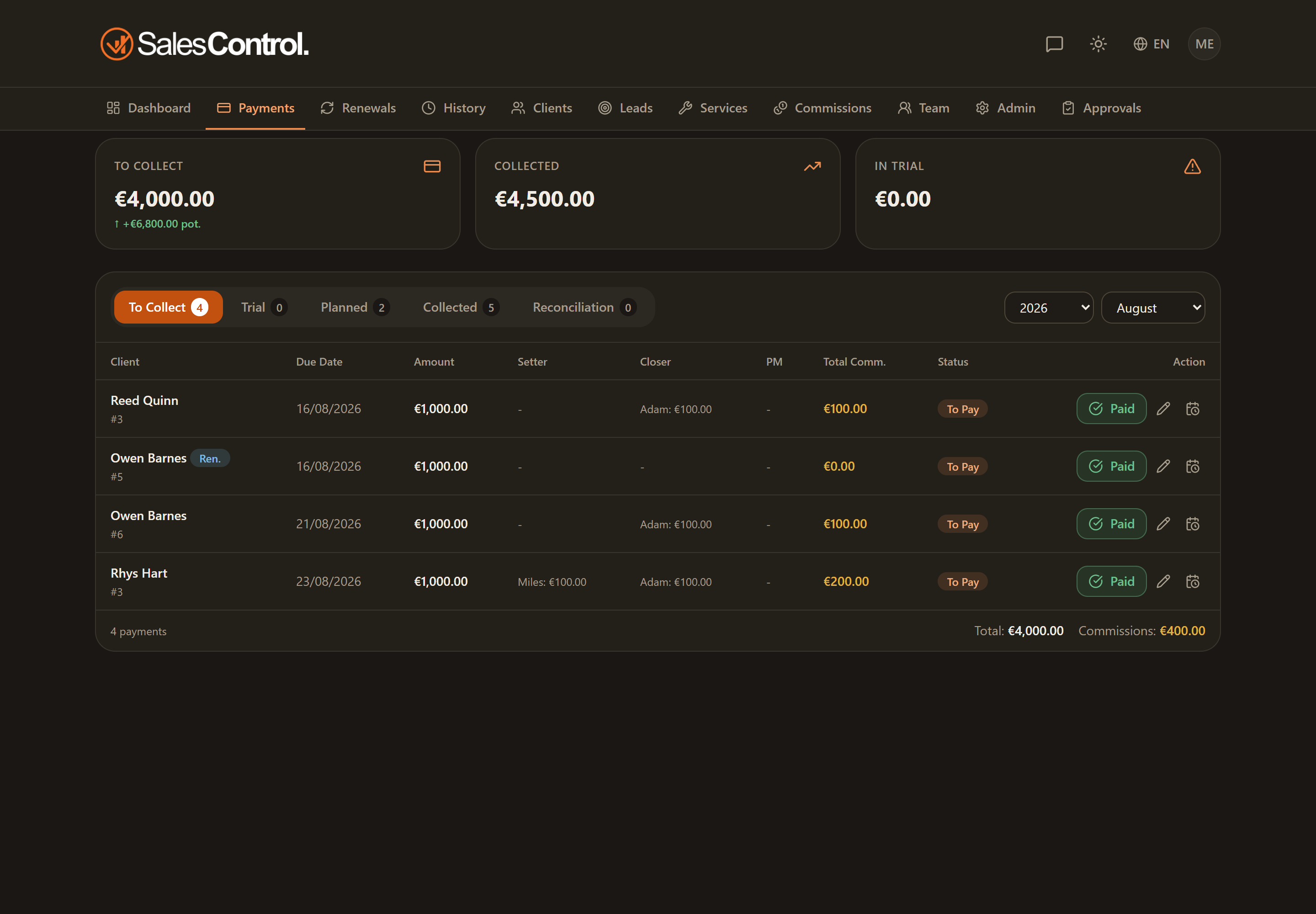
The four sub-tabs
At the top you’ll find the navigation between the page’s sub-tabs:
- To collect — confirmed installments still to be collected. See Payments To Collect.
- In trial — installments of clients in the trial period, where you act on the first installment to close the trial.
- Collected — the register of installments already collected, with the date. See Collected Payments.
- Reconciliation — the queue of Stripe payments the app could not match with certainty.
The Reconciliation tab is visible only to Admins or to those with the can_confirm_reconciliation permission (“Confirm reconciliation”). A badge on the tab shows the number of payments still in the queue. If you don’t have this permission, you won’t see it at all. See The Reconciliation Queue.
Period filters
Above the list you’ll find two filters, Year and Month, to narrow the payments down to the period you’re interested in. On opening, the page normally shows the current month.
The Year/Month filters are hidden in the Reconciliation tab: that queue shows Stripe payments regardless of the period.
Summary cards
Below the filters there are a few summary cards that change based on your role. The Admin sees the agency totals (for example how much is to collect and the commission figures); a salesperson member instead sees the totals that refer to them, such as their own commission. The cards give you the picture of the selected period before you even scroll the table.
Totals summary
At the bottom of the page you’ll find a summary with the totals of the list shown (amounts and, where applicable, commissions), calculated on the payments actually visible with the active filters.
Opening the page from the Dashboard
If you open payments by clicking the To Collect card on the Dashboard, the page opens showing the uncollected payments from all periods, including overdue installments from past months. In practice the Year and Month filters start on “All” instead of the current month, so you immediately see everything that is still to collect.
If instead you open the page from the navigation menu, the default period stays the current month.