Dashboard Overview
The Dashboard is the first page you see when you log in: it gives you the full picture at a glance, from active clients to incoming collections. It reads from top to bottom and changes according to your role.
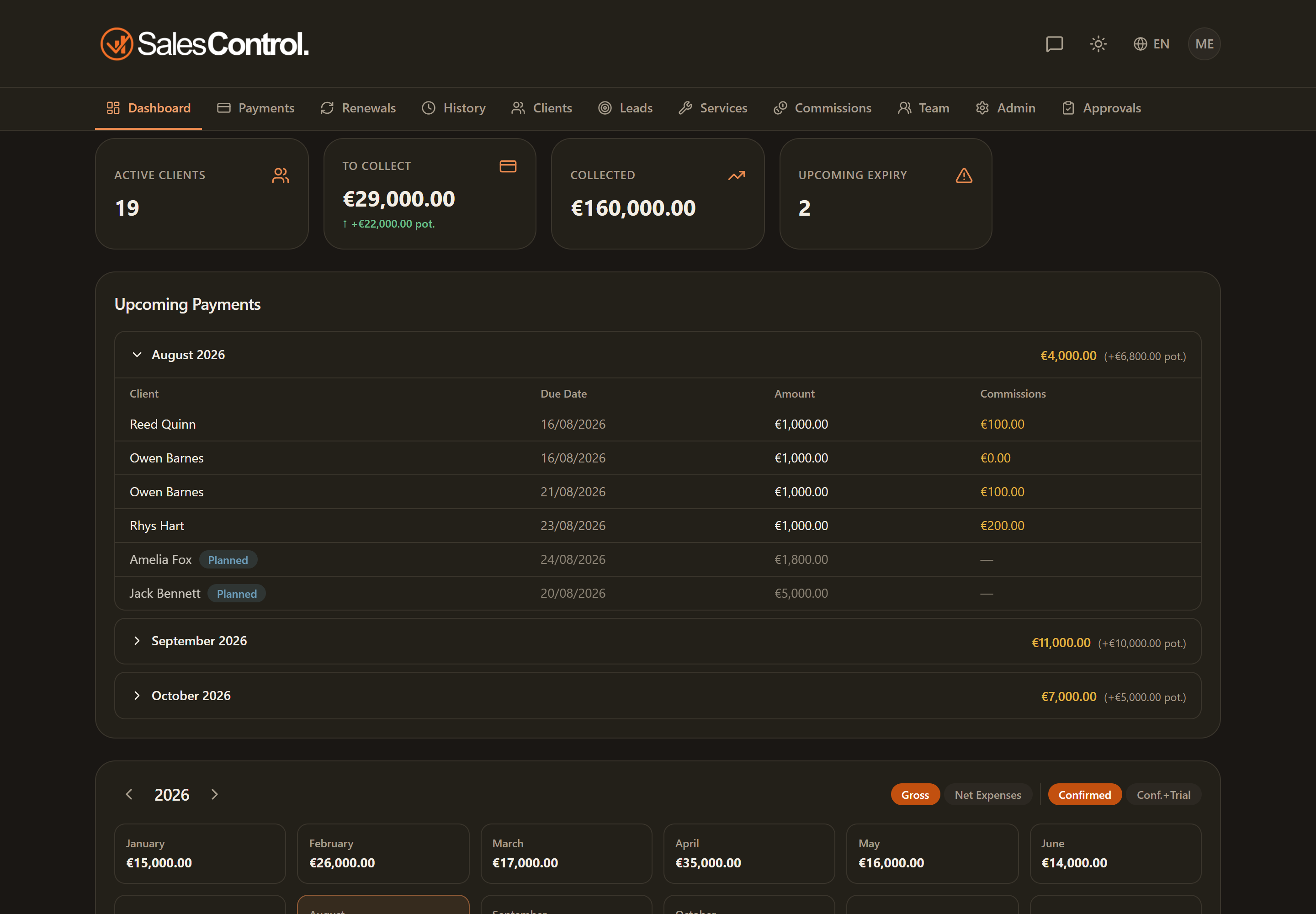
The layout, top to bottom
The page reads vertically, from summary to detail:
- at the top, the stat cards with the key numbers;
- next, the Upcoming Payments section, grouped by month;
- the Cash-Flow Calendar with the yearly view;
- for admins, the Commission Details;
- at the very bottom, for everyone, the Renewals panel.
The stat cards
At the top you find the summary cards. For everyone there are:
- Active Clients: how many clients you currently have running.
- To Collect: the total of confirmed payments awaiting collection.
- Collected: how much you have already collected. This amount excludes reversals (Stripe refunds and disputes), so it shows the value that has really come in.
- Upcoming deadlines: the contracts expiring within the next 30 days.
If you are not an admin, you also see the My commissions card, with the total of your commissions.
The cards are clickable: each card takes you to the matching section of the app (for example, “To Collect” opens the pending payments). You’ll find the detail of each destination in Stat Cards and Drill-down.
Upcoming Payments
Below the cards, the Upcoming Payments section lists incoming installments grouped by month, in a series of expandable panels (accordion). Click a month’s header to expand it and see the individual installments with client, amount and due date.
Cash-Flow Calendar
The Cash-Flow Calendar shows how cash trends across all the months of the year. You can navigate between years and, by clicking a month, open its detail. The full explanation of the filters and month detail is in the Cash-Flow Calendar article.
Commission Details (admin only)
If you are an admin, at the bottom of the dashboard you find the Commission Details section, with collected, commissions and net per payment. It is described in Commission Details and Net.
Renewals
The page closes with the Renewals panel: how many contracts were renewed in the year, how many expired without renewal, at what rate and for what value, in total and member by member. Everyone sees it — the admin across the agency, everyone else across their own clients. See The Renewals Panel.
The dashboard updates in real time: when you or a colleague mark a collection or create a client, the numbers update on their own. There’s no need to reload the page.