Cash-Flow Calendar
The Cash-Flow Calendar is the overview of your money month by month: it shows how collections and outflows spread across the year and lets you open the detail of every single month.
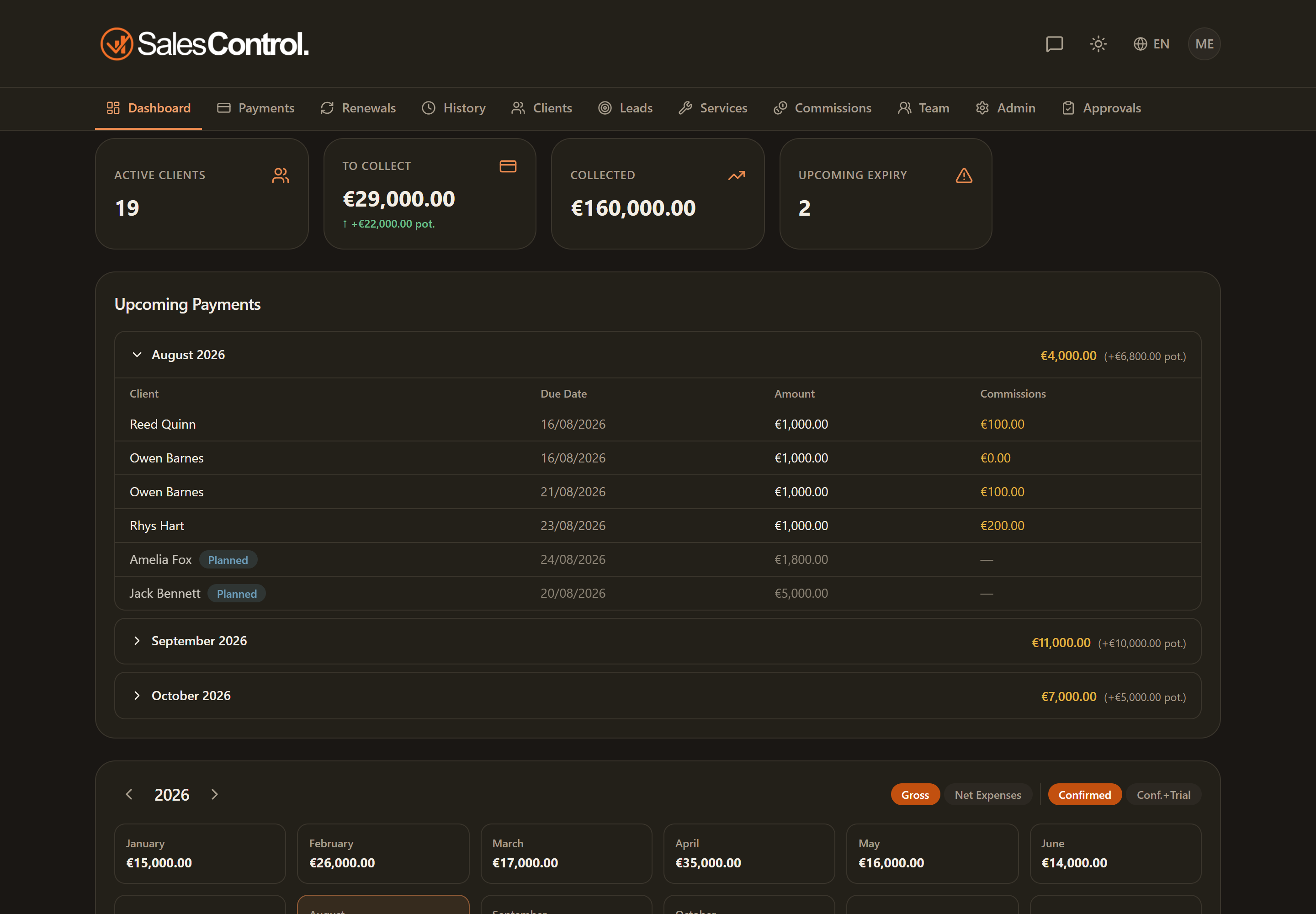
The 12-month grid
The calendar shows a grid with all the months of the year. For each month you see the overall value of the flows. Using the arrows you can navigate between years to compare different periods or look ahead to future installments.
The toggles
Above the grid there are two toggles that change what gets counted:
- Gross / Net: Net subtracts business expenses from what has been collected, so you see how much is really left. This toggle is available to admins only, because only they can see the costs.
- Confirmed / Confirmed + Trial: choose whether to count only confirmed contracts or also include clients still in trial.
The month detail
Clicking a month opens its detail. For an admin the panel shows the full account of the month:
| Item | Effect on net |
|---|---|
| Collected | starting point |
| − Commissions | Setter, Closer and PM commissions |
| − Costs (fixed, variable, taxes) | the month’s business expenses |
| = Net profit | how much is really left |
Below the calculation you find the two tables Paid and To Pay with the month’s installments. From here the admin can also delete a payment and use the link to edit the linked client.
The costs that feed the net calculation are configured in Business Expenses. If the net looks odd, check the setup of fixed costs, variable costs and taxes first.
For non-admins the calendar stays available, but without the Net toggle and without the cost items: they see the gross flows. The full commission breakdown is reserved for admins in Commission Details and Net.