Your Dashboard (Salesperson View)
If you are a Setter or a Closer, the dashboard is tailored to you: it shows only your clients and your commissions, without the whole agency’s data. That way you always have a clear view of how much you’re working and how much you’re earning.
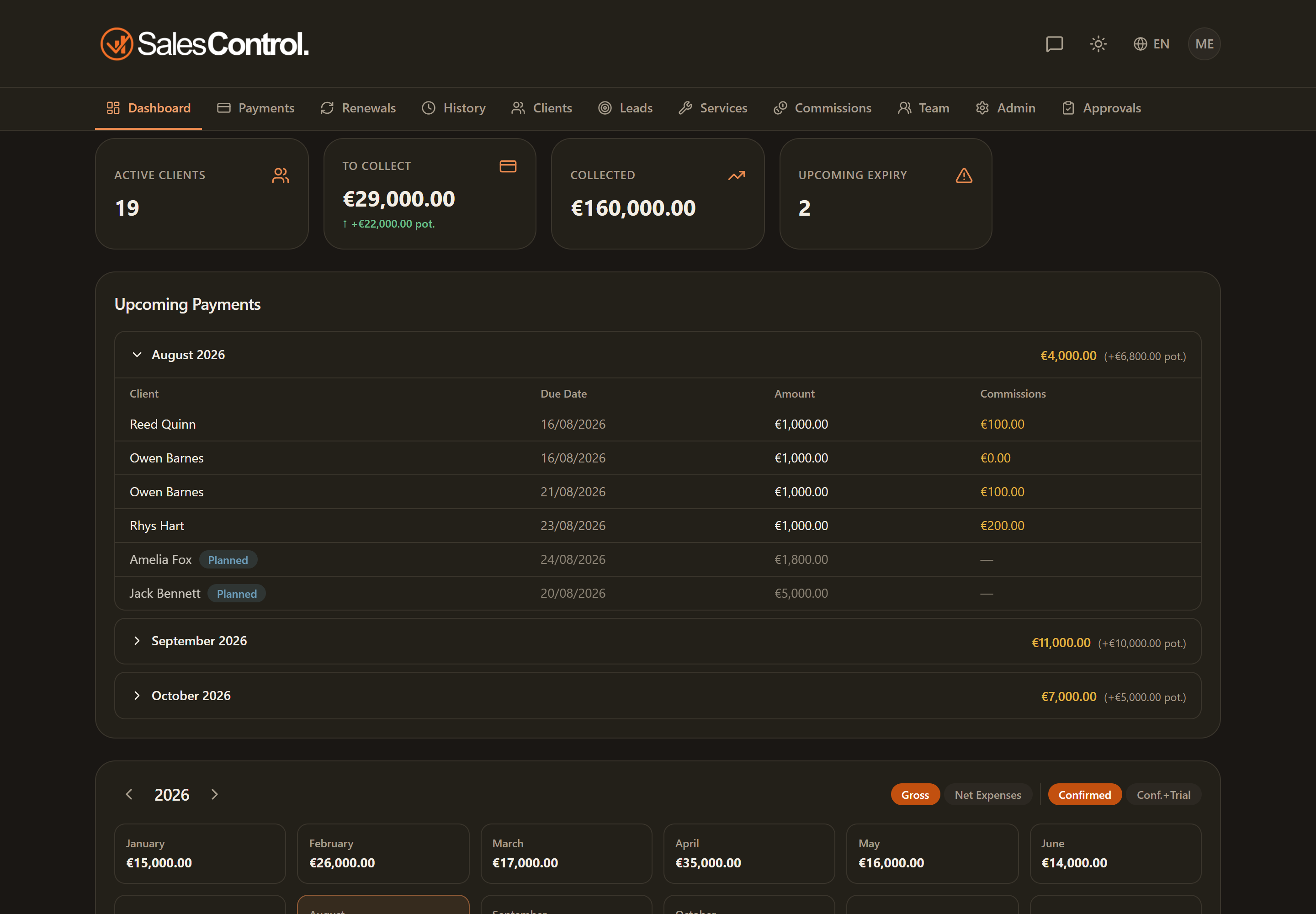
What changes compared to the admin view
The structure is the same (cards at the top, upcoming payments, calendar), but everything is filtered to the clients you follow. You don’t see the team and administration sections, nor the business costs or the global commission breakdown.
The five cards
At the top you have five cards, including your commissions:
- Active Clients: your clients in progress.
- To Collect: the installments still to be collected on your clients.
- Collected: how much has already been collected (net of reversals).
- Upcoming deadlines: your contracts expiring within the next 30 days.
- My commissions: the total of your commissions.
Upcoming Payments with your commission
The Upcoming Payments section lists your clients’ incoming installments, grouped by month, with an extra My commission column: for each installment you immediately see what you’re owed.
The cards and columns that speak of your commission only count what you earn. If you are also a sales manager, the shares of the members you manage are not added in here: you see those on Commissions, under the Team scope and with your colleague’s name next to them. What you see here is what is yours, always.
The calendar with your commissions
The Cash-Flow Calendar is personal too: it shows, month by month, the commissions you accrue. It helps you understand how your earnings spread over time.
For the full list and the status of your commission payments (paid / pending), open Your Commissions. For your clients’ payments go to Your Payments.