Your Commissions (Salesperson View)
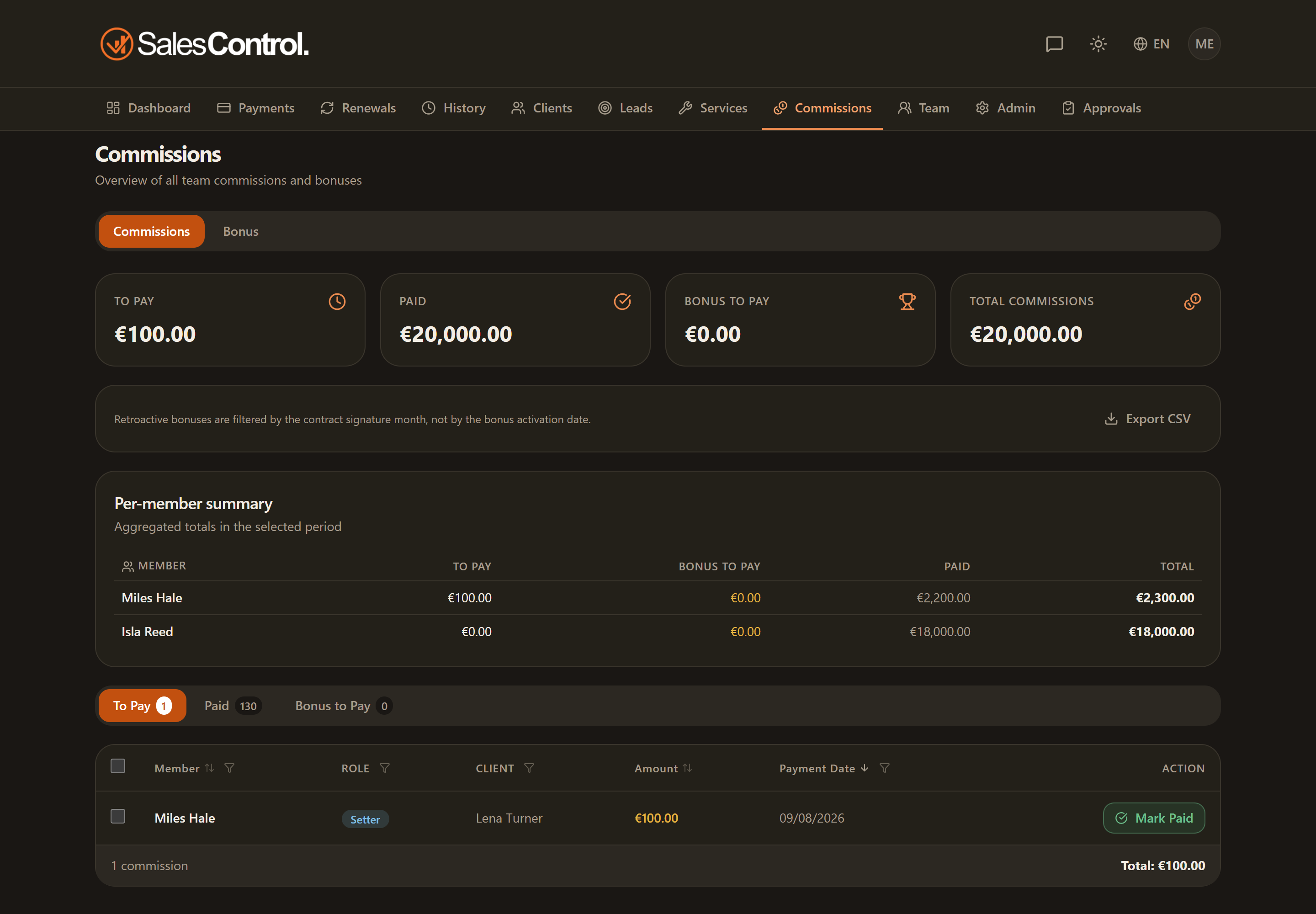
If you are a Setter or Closer, the Commissions page shows only your commissions and bonuses. From here you keep track of how much you have accrued and what is still awaiting payment.
This feature requires a paid plan (Starter and above). See Subscription Plans.
The sub-tabs
The page is split into three sub-tabs:
- To Pay Out — the commissions accrued but not yet marked as settled;
- Paid Out — the commissions already disbursed;
- Bonus to Pay — the bonuses reached and not yet settled.
Next to each commission there is a status chip: Paid when it has been marked as settled, Pending when it is still to be paid.
Once the agency has paid you, you can record it yourself: use Mark Paid on the row, or tick several rows and use Mark as paid to do it in bulk. This works for your commissions and for your bonuses. You can only mark your own: the admin marks everyone’s.
If you are also a sales manager
With the sales manager role a Mine / Team switch appears at the top:
- Mine — only what is yours, your manager shares included.
- Team — the commissions of the members you manage too, each with the name of whoever earns it. They are never added to your total.
The member filter only lists the people in your team. In Team the rows of the members you manage have neither the button nor the selection checkbox: you can read them, but they (or the admin) mark them as paid. Your own you can mark from here too.
The cards and the “My commission” column count your row: if you are the closer of a client and you manage the setter who brought them in, the setter’s share is not yours and does not show up there. You find it here, under the Team scope.
The Bonus tab
The Bonus tab shows the bonuses you are accruing based on the rules configured by the admin: targets, progress and rewards for the period. To read it in detail, see Understanding Bonuses (Salesperson View).