Understanding Bonuses (Salesperson View)
On top of commissions, your agency can reward you with bonuses when you hit certain sales targets. The Bonus panel shows how much you have already earned, which targets you have reached and how much is left to the next ones. The rules are set by the admin; all you need is to know how to read the numbers.
This feature is available on the Professional plan and above. If you don’t see it in the app, check your plan in Subscription Plans.
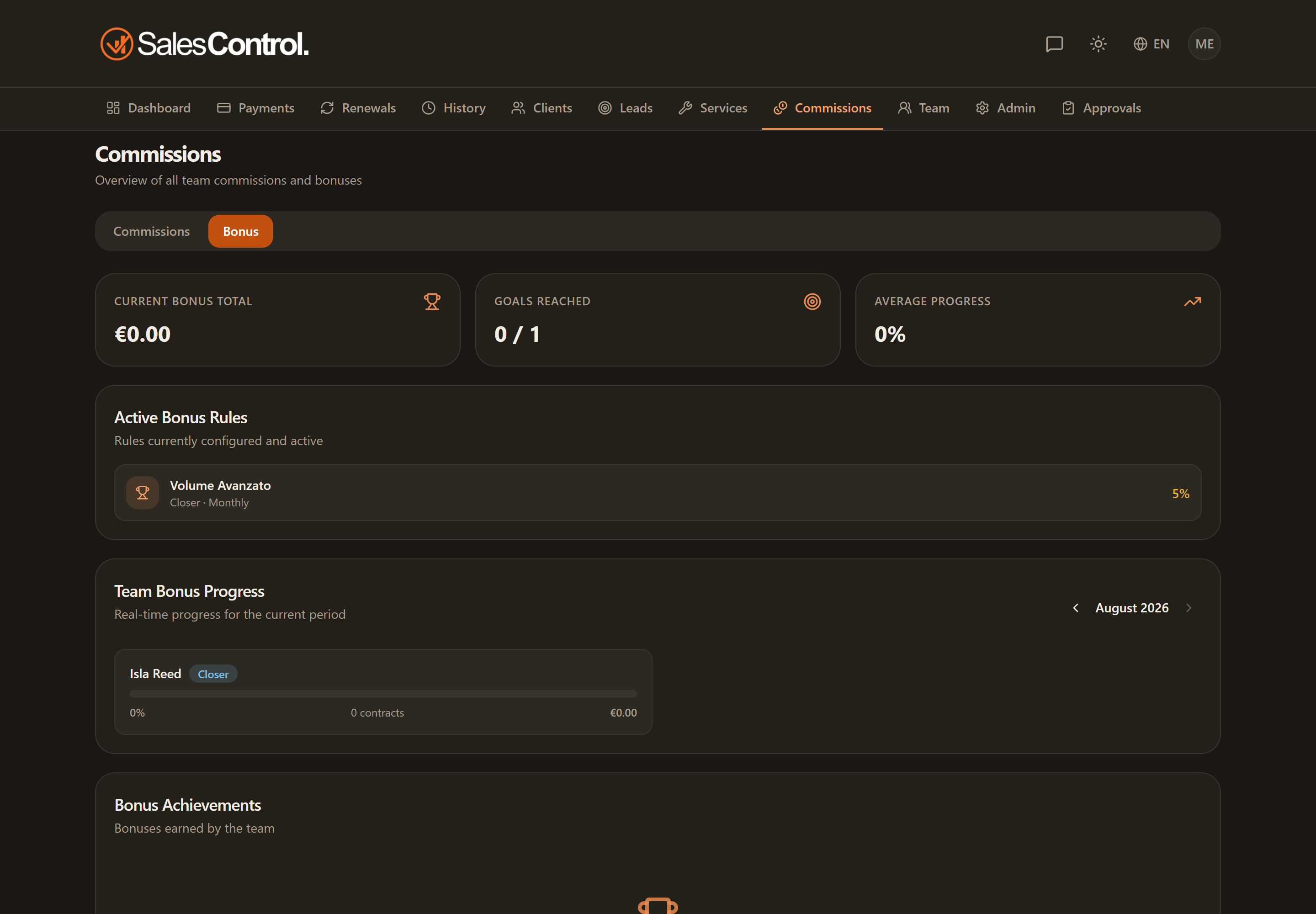
Where the Bonus panel is
Open the Commissions page: alongside your commissions you will find the panel dedicated to bonuses, filtered to your own results. Each bonus refers to a period (usually the month) and a role (Setter or Closer): you only see the bonuses that concern you.
What you see: the cards at the top
At the top of the panel there are three summary cards:
- Bonus for the month — how much you have earned in the current period.
- Targets reached — how many rules you have already hit.
- Average progress — how far along you are, on average, toward your targets.
The progress bar of each rule
Below the cards is the list of the rules that apply to you. Each one has a progress bar showing how much is left to the target: for example “3 contracts out of 5” for a threshold bonus, or the volume reached against the activation threshold for a volume bonus. When the bar fills up, the target is hit and the bonus starts maturing. On rules based on collections the bar measures the money that came in, not the signed value.
“Stand-by” or potential bonuses
Some bonuses appear as stand-by (potential): this means the result is not certain yet. It happens, for instance, when a contract only counts toward the bonus after the trial is confirmed or after the first collection. Until that condition is met, the bonus stays “pending” and is not yet guaranteed.
A stand-by bonus is not a lost bonus: as soon as the condition comes true (trial passed, first payment collected…) it becomes earned and counts toward the month’s total.
Maturing: when the period closes
A bonus is only paid once its period closes. Until then it is maturing: the amount can still grow with new contracts or payments, or go down if a contract drops out of the count. In the panel, the period box shows when it closes and the status of the bonus: maturing, to pay or paid.
The period does not always close on the last day of the month: it depends on the rule. If a contract only counts once the client pays the first instalment within 3 months, the September bonus closes on 31 December. If the rule rewards you on the payments collected on the contracts you sign, the bonus matures in instalments: each month’s instalment can be paid when the month ends.
When and how you get paid
Earning a bonus does not mean receiving it right away: as with commissions, it is the admin who reviews the payable bonuses and marks them as paid when settling them. Until then the bonus shows as “to pay”. A paid bonus never changes again: if it grows afterwards, for example because of a payment recorded late, the difference is paid to you separately as a top-up.
When a bonus becomes payable you receive an achievement notification (if enabled), top-ups included. You get no alert when an unpaid bonus goes down: you see the new amount in the panel.
If a paid bonus has to be recovered
After the payment a bonus can turn out too high because of an event that invalidates a contract or a payment that counted: a failed trial, a deleted client or, on rules based on collections, a reversed instalment. A commission already paid on an instalment that was later reversed has to be returned too. In these cases the difference becomes a recovery.
You do not have to return anything by hand: the agency deducts the recovery from what it pays you afterwards, commissions or bonuses, until it is covered. For example, if the recovery is €300 and €1,000 of commissions are paid to you, you receive €700. If you gave the money back some other way, the admin closes the recovery by hand.