Managing Renewals (Salesperson View)
If you are a Setter or Closer, the Renewals page shows your expiring clients. Keeping an eye on them helps you get ahead of the renewal and protect your portfolio.
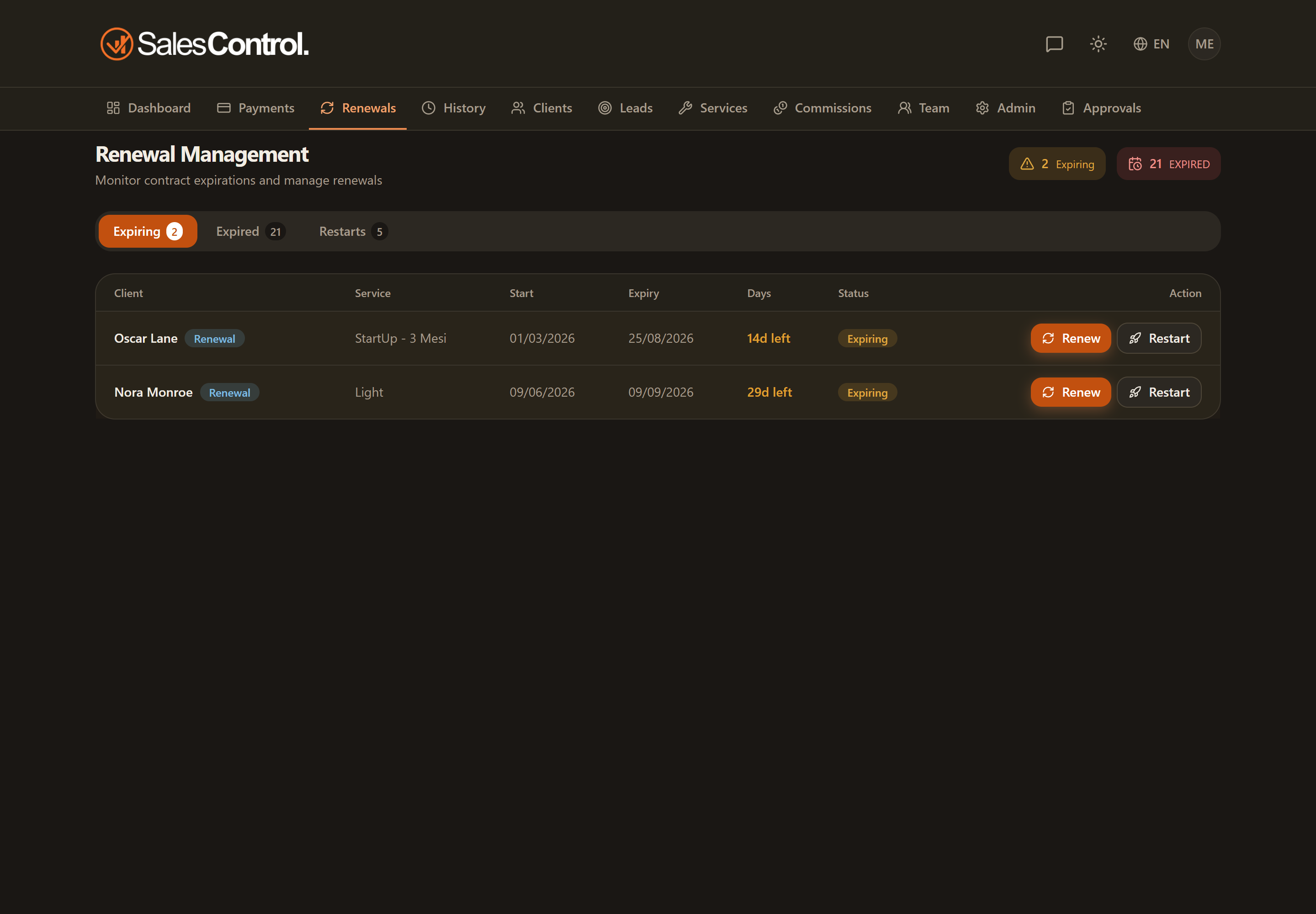
What you see
The Renewals tab filters to the clients assigned to you. The rows of expiring contracts are highlighted to draw your attention to the priorities, and for each one you’ll find the client, service, start, effective expiry and days-remaining columns. At the top there is also an Upcoming Expirations card with the count of contracts to renew.
The expiry shown is the effective one: if a contract has an extension pause, the end date already accounts for the pause days.
You can renew too
The Renew button is available to you as well: a renewal is a moment of negotiation, so there are no permission checks and you can freely set the new conditions, value included. The procedure is identical for all roles and is described in How to Renew a Contract.
Check the Expiring tab regularly and contact the client a few weeks before the date: a renewal prepared in advance closes much more easily.