Edit a Payment’s Amount and Due Date
Every now and then an installment needs fixing: an amount to correct, a due date to move, or the whole installment plan to redefine. SalesControl lets you act on the single installment or on the whole plan, each operation with its own permission.
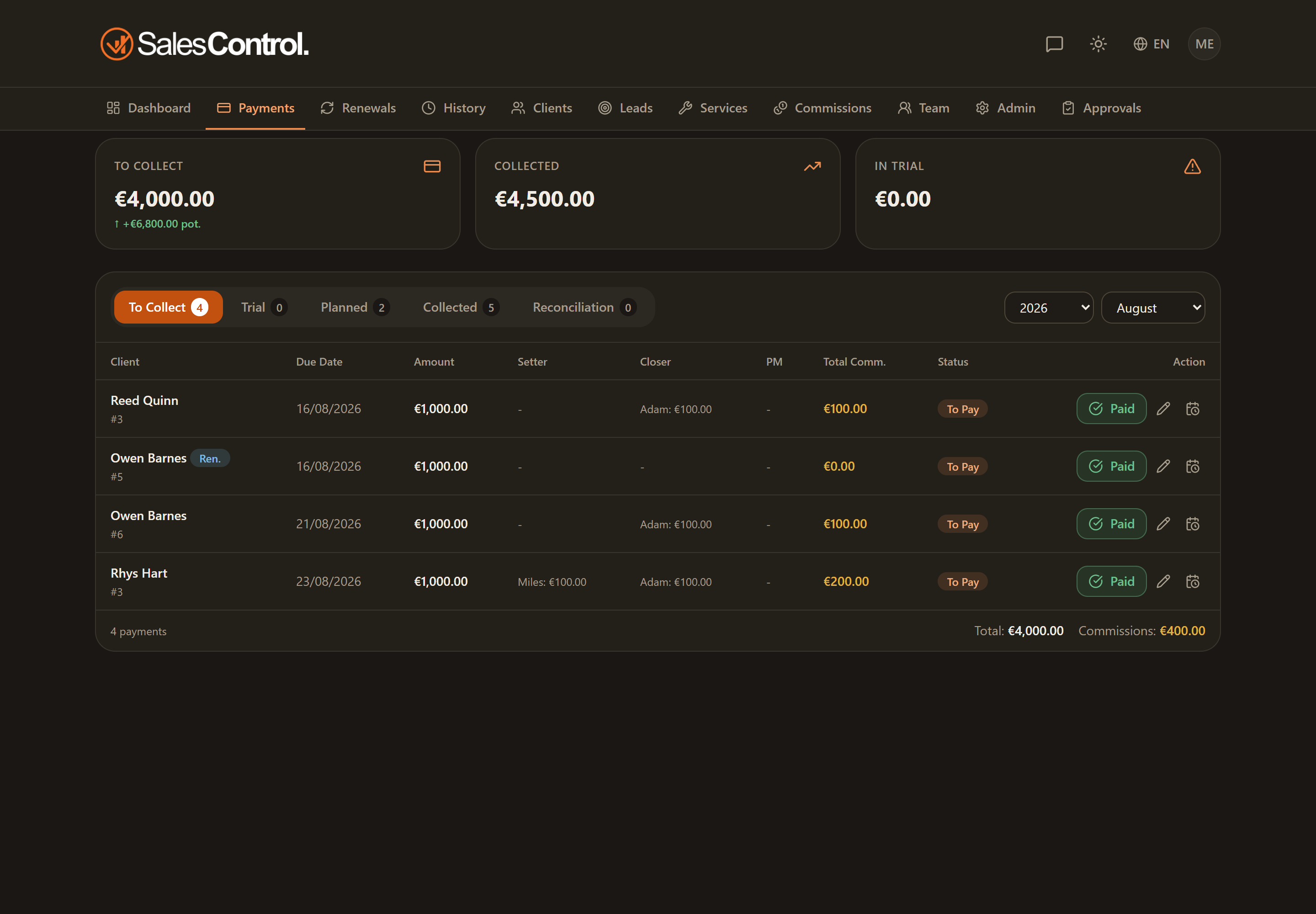
Where these actions are
You can edit payments from two places:
- From the Payments page, on the installment row.
- From the client detail page, in the Payments tab.
Editing an installment’s amount
With the can_edit_price permission (“Edit prices”) you can correct the amount of a single installment through the edit button (pencil). When you change the amount, the linked commissions are recalculated accordingly.
If the installment has already been paid and involves a currency other than the base one, the exchange rate stays locked at the one recorded at collection: editing the amount does not touch it.
Changing an installment’s due date
With the can_recalculate_schedule permission (“Recalculate schedule”) you can change the due date of a single installment. While editing you have the option to apply the shift to the following installments too, in a cascade: useful when the whole plan slides forward as a block.
Recalculating the whole plan
Also with can_recalculate_schedule, the Recalculate schedule function lets you redefine the entire payment plan starting from a new start date: the due dates are recalculated from that date according to the contract’s cadence.
These payment actions are a different thing from editing a critical field of the contract (service, duration, value, payment type): that automatically regenerates the pending installments with an impact confirmation dialog. See Automatic Payment Generation.
Do you need to apply a price different from the list already when creating or renewing the client? See Custom Pricing.